You know when you look at a photo and think, "Wow, it would be cool if this were a drawing"? Well, nowadays it's super easy to do. There are several apps to transform photos into drawings or digital art that give your images a special touch. You don't need to be an artist to use them, just download an app and have fun. I've selected some of the best apps to transform photos into drawings, perfect for those who want to boost their social media presence or just create something different. Let's take a look?
Main Highlights
- CapCut offers a variety of effects and templates to transform photos into sketches, making it a versatile option for different devices.
- PicsArt is a complete editor that allows you not only to transform photos into digital art, but also to add filters, text, and stickers.
- ToonMe stands out for its expertise in transforming faces into cartoons and caricatures in a variety of styles.
- Prisma uses filters inspired by famous artists to give photos a painterly look, adding a unique artistic touch.
- Painnt features over 2,000 filters and effects, allowing you to customize your designs with different styles and details.
1. CapCut
CapCut isn't just a video editor; it's become a popular choice for transforming photos into drawings or even creating true digital art. The app is flexible, working on both Android and iOS, on computers, and even online. The difference lies in the variety of AI filters and effects that transform even simple selfies into stylish and personalized images.
Here's an idea of what you'll find at CapCut:
- Creative filters in classic and modern styles, from cartoon to pop.
- Ready-made templates to make getting started easier, ideal for those who don't want to waste time adjusting everything manually.
- Automatic tools to correct skin, remove blemishes, and give that final touch that makes the photo more attractive.
If you want to try it without downloading anything, you can even create realistic drawings with some very practical online options, such as the tools you find for... impressive designs with one click.
Even if you have no experience at all, you can have a lot of fun testing filters or effects until you find your favorite look. The great thing is that the process almost never requires complicated adjustments: just choose the effect, wait a few seconds, and voilà, artwork created!
CapCut offers paid plans to unlock more features, but many of the features are already available in the free version. For those who enjoy exploring and playing with their photos, it's one of the easiest ways to create something new without headaches.
2. PicsArt
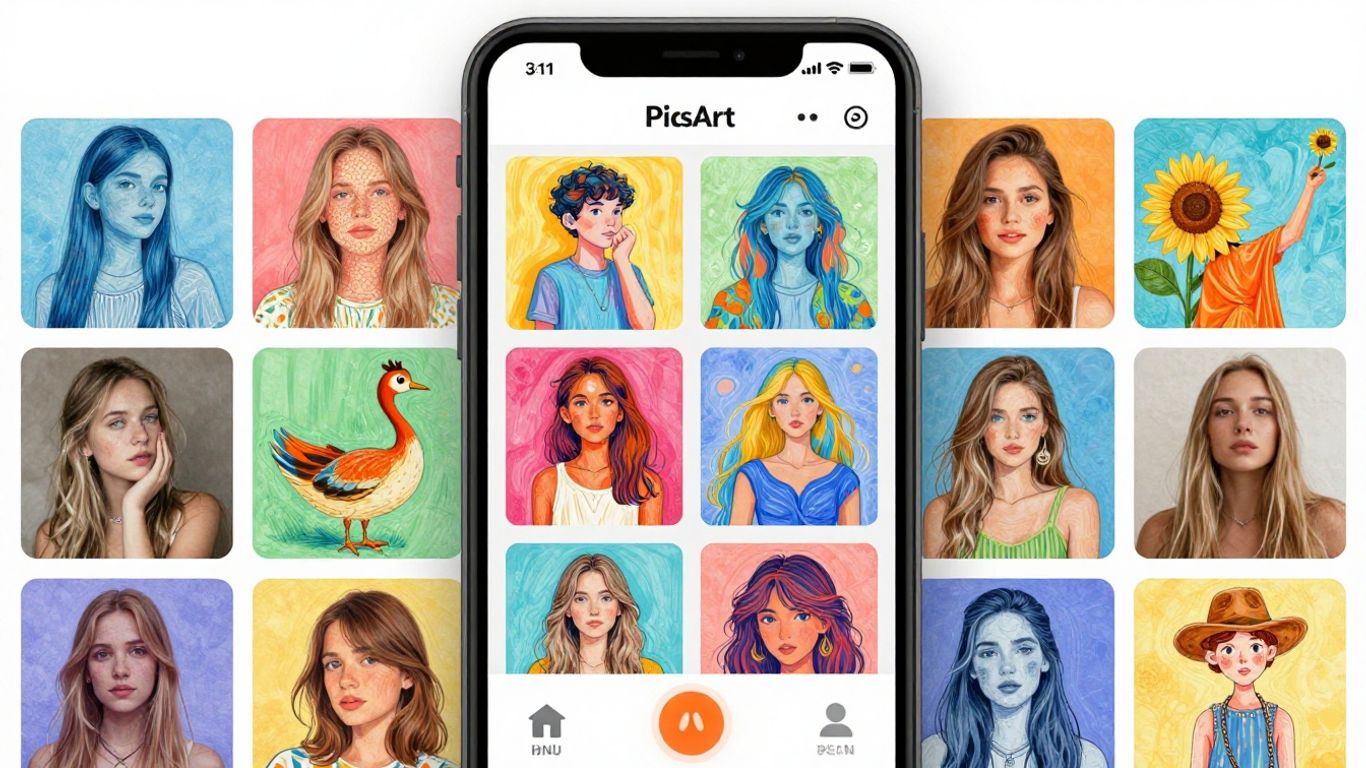
PicsArt is that app everyone's heard of, right? It's like a Swiss Army knife for photo editing, you know? You can do a little bit of everything: crop, add stickers, text, and even distort the image if you want.
But what interests us here is that it's also great at transforming your photos into drawings. It has some really cool effects in the "Magic" or "Artistic" section that give your photos a digital art touch. Just choose the image, go to the effects, find the one you like, and you're done!
PicsArt is one of those apps you can use for everything. Whether you just want to add an artistic touch or need a more complete edit, it usually gets the job done. The ability to transform it into a drawing is just one of the tricks it has up its sleeve.
It has a free version that's already quite complete, but if you want unrestricted access to everything, there's a Premium option. But to start, the free version is already enough to have a lot of fun and create some really cool artwork.
3. ToonMe
If you're looking for a quick and easy way to turn your photos into cartoons, ToonMe is a great option. This app uses artificial intelligence to give your images a cartoonish touch, and the result is usually pretty cool.
ToonMe offers a variety of styles, from 2D drawings to more elaborate 3D options. It's like having a digital art studio in your pocket. You can play around with different effects and see how your face or photos get a new look.
It's very simple to use: you choose a photo from your gallery, select the effect you like best, and let the app work its magic. It's great for those who want something different to post on social media or just for fun.
ToonMe stands out for its user-friendly interface, making converting photos into cartoon art accessible even to those without much editing experience.
One cool thing is that it allows you to adjust the image position and even add text, which gives an extra personal touch to your creations. Although the free version offers quite a lot, it's worth keeping an eye on the paid options if you want even more filters and features without limitations.
4. Prism
Prisma is the app that transforms simple photos into true works of art. You know when you take a selfie or a picture of your dog and think it could have a more artistic touch? It solves that problem in seconds. The secret lies in the exclusive filters that make any image look like a painting signed by someone famous. And the best part is that even those who have never used an image editor can use it without complication.
The process is simple:
- Choose the photo you want to transform.
- Select the artistic filter – it has options that mimic the styles of great painters.
- Adjust brightness, contrast, sharpness, and other details to make everything just the way you like it.
- Save and share directly on WhatsApp, Instagram, or Facebook.
Actually, they release a new style almost every day, so there's always something different to try. The slightly annoying thing is that the best filters are only in the paid version, but you can have a lot of fun without spending anything. Oh, and according to... official app, There are over 300 styles and filters to try.
For those who want to add an artistic touch to their everyday photos without wasting time on complicated programs, Prisma is a perfect fit. It doesn't replace a painter, but it guarantees those extra likes on your feed.
Don't forget to make a basic adjustment before saving; it makes all the difference in the final result.
5. Paint
If you enjoy the idea of transforming your photos into something more artistic, Painnt is an option worth checking out. It's not just another app that throws on a filter and that's it; Painnt gives you much more control over the final result. There are over 2,000 filters and effects available, which is quite a lot! You can play with styles that mimic everything from detailed pencil drawings to thicker, ink-like outlines.
The cool thing is that you can adjust a lot of things. Want the lines to be bolder? Or the shading softer? You can do that. It's like having a digital art studio in your pocket.
- Over 2,000 filters and effects: A huge variety for you to explore.
- Detailed customization: Adjust lines, shading, and other details to make it your own.
- Various styles: From pencil sketches to ink outlines.
Paint lets you go beyond the basics, giving you the chance to truly shape the digital art that comes out of your photos. It's a cool tool for those who like to experiment and don't want to settle for generic results.
So, ready to unleash your creativity?
Well, we've reached the end of our list of apps to transform your photos into drawings and digital works of art. As you've seen, there's an option for every taste and skill level, from those who want something quick and easy to those who enjoy tinkering with every detail. The cool thing is that most of these apps let you play around a lot without spending anything, but there's always that paid version with more filters and features, right? So, what are you waiting for? Download one of these apps, grab your photos and start creating! Who knows, you might discover an artist within yourself?
Frequently Asked Questions
What are apps that transform photos into drawings?
These are mobile apps that use special effects to make your photos look like hand-drawn sketches or paintings. It's like adding an artistic and unique touch to your photos in a very easy way.
Do I need to be an artist to use these apps?
Absolutely not! These apps are made for everyone. Even if you've never drawn anything, you can use them to make your photos super creative. Just choose the effect you like and you're done!
Do these apps work on any phone?
Yes! Most of them are available for both Android phones and iPhones (iOS). So, almost everyone can try them out and have fun transforming their photos.
Can I customize the design that the app creates?
Many apps allow you to adjust things like line thickness, colors, or stroke type. This way, you can personalize your drawing and make it exactly how you envisioned it.
Are all the features in these apps paid?
Don't worry! Most of these apps offer great free features. Some have paid versions with more effects and tools, but you can start using them and creating amazing designs without spending a penny.
Which app is best to start with?
For beginners, apps like CapCut or ToonMe are great options. They're easy to use and have lots of cool effects for you to experiment with and have fun turning your photos into art.