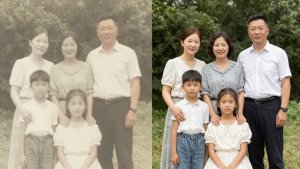
Remember those old photos that are a bit faded, scratched, or simply blurry? Yeah, we all have a bunch like that. But the good news is that nowadays technology helps us breathe new life into those memories. With some apps that use artificial intelligence, it's possible to work wonders and make those photos look much better. We've selected some of the best apps for enhancing photos, which will help you relive your most cherished moments with greater clarity.
Main Highlights
- Remini: Uses AI to increase the sharpness and resolution of old or blurry photos by comparing before and after.
- PhotoDirector: Offers tools for noise removal, dehazing, and color correction, with options to save and share.
- YouCam Enhance: Focused on selfies, but also restores old photos, correcting colors and blemishes, with a simple interface.
- Photomyne: Allows you to scan multiple photos at once and automatically enhances them, ideal for digitizing albums.
- Fotor: An AI-powered editor that removes scratches, blur, and sepia tones, and also colorizes black and white photos.
1. Remini
Do you know those old photos that are stored in a drawer, a bit yellowed and lifeless? Or those that came out a little blurry and you don't even think about using? Remini is an app that promises to fix that using artificial intelligence. It's very straightforward: you upload the photo and it tries to make everything sharper and with more vibrant colors.
The cool thing is that it's not complicated. Basically, you choose the photo, and the app does the hard work. It's great for sprucing up portraits and selfies that didn't turn out perfect. I've seen people using it to make photos from old cameras look more modern, you know? And the most impressive thing is how it manages to recover details in faces that seemed lost.
Remini has a feature that really stands out: the ability to transform black and white photos into color images. It's like bringing a piece of history back to life. Of course, the result isn't always perfect, especially if the original photo is very poor, but for most situations, it does a pretty good job.
The app uses AI to analyze the image and fill in missing or blurred details. It's as if it...
2. PhotoDirector
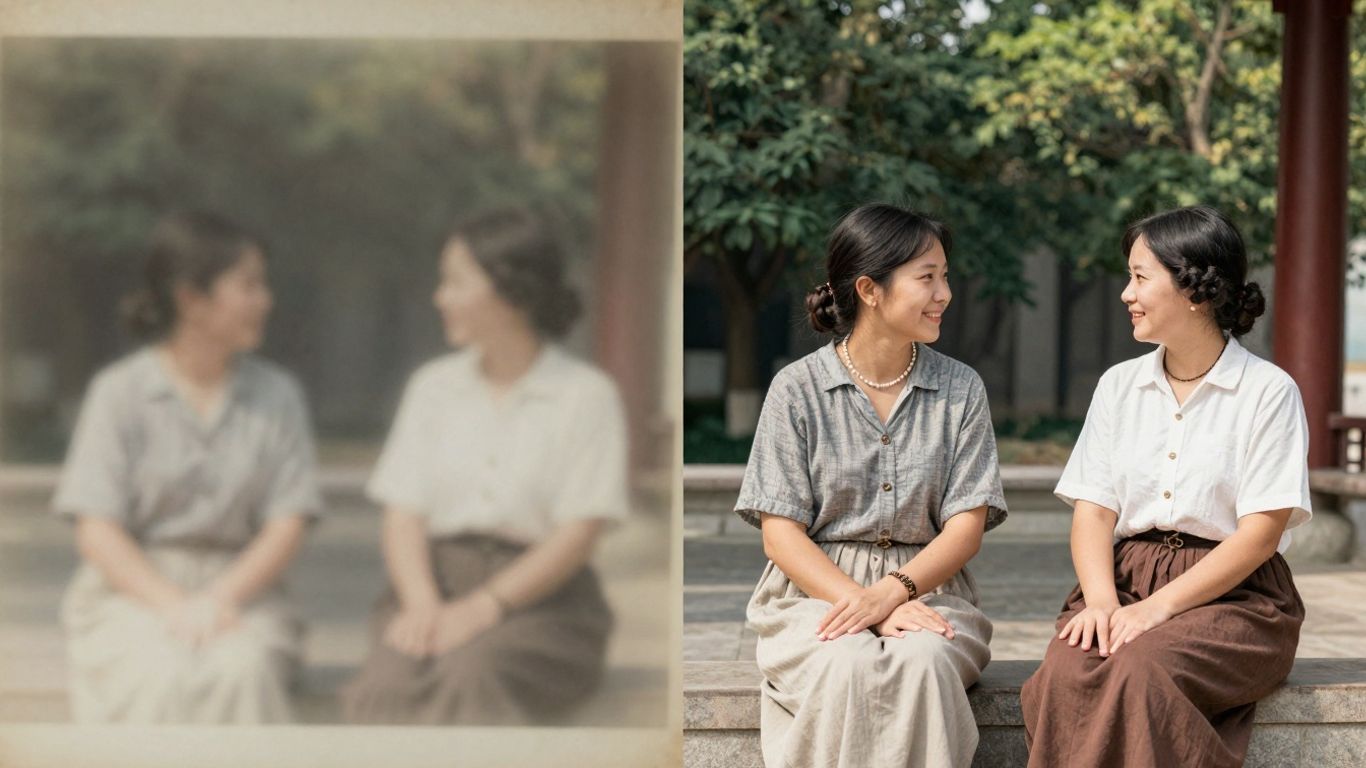
PhotoDirector is one of those apps that surprises you with how much it can do. You know that old photo that's a bit faded, or that other one that came out a little out of focus? Well, PhotoDirector has some AI-powered tools that can fix that. It not only improves sharpness, but also restores colors and details that seemed lost.
One cool thing is that it doesn't leave you lost. Even if you're not an expert in editing, you can use the main functions without complication. It has some "quick action" options that are great for those who want to fix a photo quickly. Basically, you send the photo, choose what you want to improve, and the app does the hard work.
PhotoDirector is a photo editor that uses AI to sharpen your images and restore old photos. It's good for those who want quick results without complications.
If you're looking to spruce up your old photos or fix that one that didn't turn out as expected, it's worth checking out... PhotoDirector AI Photo Editor. It has a lot of features that can help you relive your memories with better quality.
3. YouCam Enhance
Remember that old photo that's a bit faded or has some signs of age? YouCam Enhance can fix that. It's an app that uses artificial intelligence to enhance your photos, especially those... selfies, But it also serves to breathe new life into those older memories.
It's very straightforward. You upload the photo and it tries to fix the colors, remove any blemishes that have appeared over time. Its interface is very simple, so there's not much to it. It's a good option if you want something quick and uncomplicated to improve photos that aren't all that great.
What's great is that it focuses on making the photo brighter and with more vibrant colors, without significantly altering what the photo is. It's like giving it a quick clean-up and polish.
If you want to take a look at how it works, you can check out the official website of YouCam Enhance. It has a free version that already does quite a lot, but if you want even more features, there's a paid option.
4. Photomyne
Remember that box full of old photos you have stored away? Photomyne is an app that seems to have been made with exactly that in mind. It not only helps to refurbish old photos, but also makes digitizing them much easier. It's like having a scanner and a photo restorer in your pocket.
The great thing about Photomyne is that it was designed for people who want to preserve family memories. It has a way of scanning multiple photos at once, which saves a lot of time. After digitization, it automatically applies some improvements, such as color correction and removal of some imperfections. It's not the most advanced thing in the world in terms of deep restoration, but to give family photos a boost and make them more presentable, it does the job well.
If you have a lot of photos in physical albums and want to bring them into the digital world without having to spend hours scanning them one by one, Photomyne can be your best friend. It's especially useful for those who don't want to delve into complex editing but are looking for a quick and decent result.
Digitization and restoration all in one place.
Photomyne offers a free version that's already quite fun to use, but if you want access to all the features and to save your photos without a watermark, you'll need to subscribe to the paid version. For those with many photos to organize, the investment may be worthwhile for the convenience.
5. Photor
Fotor is one of those apps that seems to have a lot of features, you know? It uses artificial intelligence to fix up your old or blurry photos. Basically, you upload the photo and it tries to improve the resolution, remove scratches, you know how it is, time takes its toll.
The cool thing is that it has a lot of tools, like removing unwanted things from the photo, adjusting the background, and even doing a general retouch. If you want something more professional, there's a paid version, which isn't that expensive, but the free version is already quite fun to play around with, although it comes with ads, of course.
Quick tip: If you have an old photo and want to give it a new lease on life, Fotor can be a good starting point. It won't work miracles, but you can definitely see the difference.
- It improves the resolution of photos.
- Remove unwanted objects.
- It offers a variety of filters and effects.
- It has a free version with ads.
6. PicWish
Hey everyone! If you have that old photo that looks like it was taken with a potato or a blurry image that's hard to understand, PicWish could be your new best friend. This app uses artificial intelligence to fix those photos, you know? It can boost the resolution, make things sharper, and even colorize those black and white photos that have been sitting in a drawer for years.
The great thing about PicWish is that it doesn't complicate things. You upload the photo, choose what you want to do, and it does the hard work. It's great for those who want to breathe new life into their memories without having to become an editing expert. They have tools that increase the resolution without that annoying loss of quality, which is a huge plus.
The technology behind PicWish is really cool for anyone who wants to give their old photos a new lease on life. It's like magic, but with artificial intelligence.
If you're looking for a way to restore old photos Or if you just want to improve the quality of an image that didn't turn out well, PicWish is worth a try. It's available for a lot of things: mobile phones (Android and iOS), computers (Windows and Mac). It's a lifesaver for anyone who wants quick and uncomplicated results.
So, ready to give your photos an upgrade?
Well, we've reached the end of our list of apps that can breathe new life into those old photos or those that came out a bit blurry. It's amazing how technology has evolved, isn't it? With these tools, you don't need to be an expert editor to do a great job. Whether it's to relive a family memory or just to make a photo from a night out more fun, there's an app for everything. So, take a look, try them out, and see which one you like best. Who knows, you might discover a new hobby and your old photos will gain a special prominence?
Frequently Asked Questions
Which app is best for making old photos look brand new?
There are many great apps, but Remini is very popular because it uses artificial intelligence to make blurry or old photos much sharper and with vibrant colors. It's easy to use and delivers impressive results.
Can I use these apps on any phone?
Most of these apps work on both Android phones and iPhones (iOS). Some of them also have desktop versions, which further increases your options for improving your photos.
Are these apps paid?
Many of them offer a free version with basic functions, which are already quite helpful. To access all the more advanced tools and features, such as unlimited or ad-free editing, you usually need to pay for a premium version or subscribe.
How do I make my photos look really good?
For best results, start with photos that already have good lighting. Avoid zooming in too much before editing and experiment with the different tools each app offers. Sometimes, using a little of each app can be the key to making your photo perfect.
Do these apps only improve blurry or old photos?
Not at all! While they're great for restoring old photos, many of these apps also have features to improve the quality of recent photos, adjust colors, remove unwanted objects, and even add special effects. They're quite versatile.
Are these apps difficult to use?
Most of them were designed to be easy to use, even for those who don't know much about editing. The interfaces are simple, and often artificial intelligence does most of the heavy lifting. Just choose the photo and watch the magic happen!