Hey everyone! You know when your routine just doesn't seem to move forward? So much to do and so little time? Yeah, we feel that way too. But the good news is that there are some different Android apps that can help. It's not magic, but it's almost! Let's take a look at some tools that can really make a difference in your daily life, whether it's organizing tasks, focusing better, or even creating new habits. Who knows, maybe your routine will become more relaxed and productive after this?
Key Points
- To organize your day, apps like Todoist, Microsoft To Do, and Any.do help you list and manage tasks in a simple way.
- Maintaining focus is essential; Forest, FocusBooster, and Pomodoro Timer are great for avoiding distractions and using productivity techniques.
- Managing your time effectively with Clockify, Toggl, or Harvest can lead to a more balanced and productive routine.
- Building good habits is easier with tools like Habitify, Habit Now, and Loop, which track and encourage progress.
- For projects and notes, Trello and Notion offer visual organization, while Google Keep and Evernote are ideal for quick notes and reminders.
Organize your day with these to-do apps.
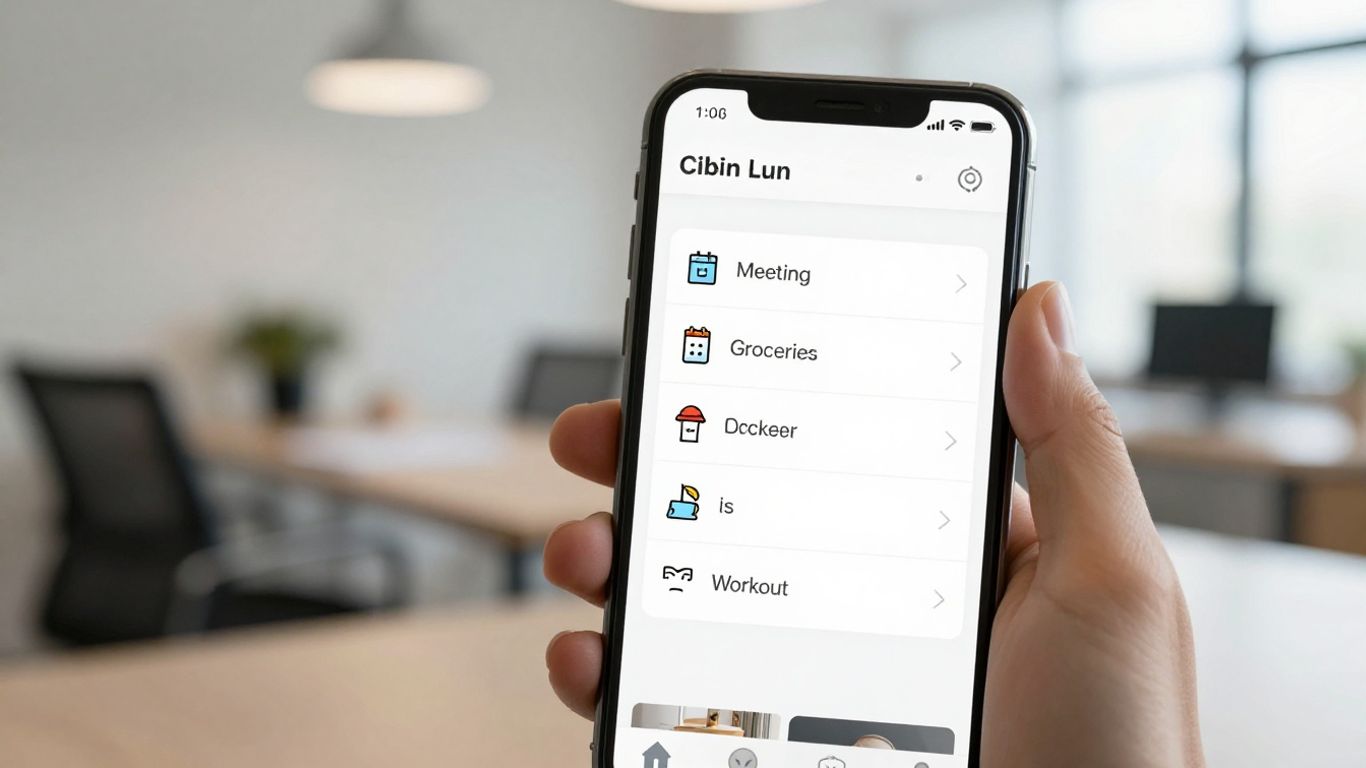
Sometimes it feels like there aren't enough hours in the day to get everything done, doesn't it? The good news is that technology can be a great ally in getting your life in order. If you're looking for a more practical way to manage your tasks and commitments, these apps are for you.
Todoist: the master of lists
Todoist is one of those apps that helps us avoid getting lost amidst so many things to do. It works like a super organized to-do list. You can create projects, set priorities, and even collaborate with other people on common tasks. It's great for those who like to have everything written down and visualized, and it also integrates with other tools we use daily, such as Google Calendar.
Microsoft To Do: Smart suggestions for your day.
If you're looking for something more straightforward and with a touch of intelligence, Microsoft To Do might be the right choice. It has a feature called "My Day" that suggests tasks for the day, helping you stay focused on what's most important. You can break down large tasks into smaller steps, set deadlines, and reminders. It's a simple way to ensure nothing gets left behind.
Any.do: intuitive and simple to use
Any.do is known for its clean and easy-to-use interface. It's a task and list manager that allows you to quickly add notes, either by text or voice. What's great is that you can cross off completed tasks as if it were on paper. It helps organize everything by "today," "tomorrow," "soon," or "someday," giving a good idea of what needs immediate attention. It's a fantastic tool for anyone who wants quick and visual organization, and it also offers built-in reminders to review and organize your tasks effectively. Learn more about Any.do.
Stay focused and keep your productivity high.
Sometimes, daily life feels like a race against time, doesn't it? Between notifications, emails, and the temptation to check social media, staying focused can be a challenge. Fortunately, there are apps that lend a hand in this battle for productivity. They help create barriers against distractions and better structure our time, so we can accomplish more in less time.
Forest: Plant trees and avoid your cell phone.
Do you know that urge to grab your phone every five minutes? Forest was created to combat that. The idea is simple: when you need to concentrate, you plant a virtual tree. If you leave the app before the set time, the tree dies. The more time you focus, the more trees you plant and the more beautiful your virtual forest becomes. It's a fun and visual way to stay away from distractions. And the best part? You can even use the coins you earn in the game to plant real trees in places that need them. A way to be productive and also help the planet. If you really want to stay focused, try it! Forest.
FocusBooster: the Pomodoro Technique in the palm of your hand.
If you've heard of the Pomodoro Technique, you know it involves working in focused time blocks (usually 25 minutes) followed by short breaks. FocusBooster is an app that implements this technique in a super simple way. It works like a timer that alerts you when it's time to work and when it's time to rest. It helps create a more structured work routine and avoid burnout. It's great for those who have difficulty managing their concentration time on specific tasks.
Pomodoro Timer: Structure your activities
Similar to FocusBooster, Pomodoro Timer is another fantastic tool for those who want to apply the Pomodoro Technique. It helps organize your activities into defined time blocks, ensuring that you not only work in a focused way but also take regular breaks. The app allows you to adjust work and rest times, and often includes notifications to keep you updated on your progress. It's an effective way to break down large tasks into smaller, manageable parts, making work less daunting and more productive.
Time management for a more balanced routine
Knowing how to manage your time is half the battle when it comes to having a more peaceful and productive life. It's not just about working more, but about working better and still having time for what really matters. These apps help you get a clear idea of where your time is going and optimize every minute.
Clockify: Monitor your team's time.
Clockify is a super useful tool for anyone who works in a team or even for those who want a clear idea of how much time they spend on each personal project. It's a time tracker that stands out for its simplicity. You can record the time you spend on each activity, whether it's working on a report, answering emails, or planning your day. At the end, you can see reports that show exactly where your time was invested. If you work with other people, you can invite them to use the tool and thus have an overview of the entire team's productivity. It's a great way to see if they are meeting deadlines and where improvements can be made.
Toggl: record the time spent on each task.
Toggl is another champion in the art of time tracking. The idea is simple: you record how much time you spend on each task. You can start a timer while working on one thing and pause it when you move on to another. If you forget, no problem, you can add the time manually later. One thing I find really interesting about Toggl is that it can send you notifications when a task's time is almost up. This helps maintain focus and keep track of time. It's great for those who want to quantify their work and have concrete data on their daily output.
Harvest: time management for freelancers
For freelancers, Harvest is a lifesaver. It helps control the time spent on different projects and clients. You can connect it to other project management tools, such as Trello, to have everything in one place. Managers (or you yourself, if you're a freelancer) can see detailed reports on productivity and the time each professional dedicated to each task. This is super important for creating accurate budgets, invoicing clients fairly, and understanding which activities consume the most time. It's a way to ensure your work is valued and that you're not wasting time or money.
Managing time isn't just about productivity; it's also about creating space for rest and for the things that bring you joy. These apps are tools, but real change comes from a mindset focused on balance.
Build better habits with these tools.
Creating new habits or maintaining existing ones can be a challenge, but technology is here to lend a hand. If you're looking for apps to help you be more consistent and build a healthier routine, you really need to check out these suggestions. They are tools that help you track your progress and stay motivated, even on days when laziness strikes.
Habitify: your daily habit tracker
Habitify is one of those apps that helps you organize your day-to-day life in a more productive and positive way. Basically, it works as a habit tracker. You can set your goals and track your progress, which is great for staying motivated. One cool thing is that you can divide your day into morning, afternoon, and evening, and there's even a "challenges" section to encourage you to try new things, like reading more or exercising.
Habit Now: insights into your performance
If you like looking at numbers and graphs to understand how you're doing, Habit Now could be your new best friend. It gives you tons of insights into your performance in each habit you track. It's super useful for understanding where you're succeeding and where you can improve. Plus, it helps you organize tasks and create lists, which is always a good thing.
Loop: Create and maintain habits with style.
Loop is an app that stands out for its simplicity and modern design. Its main focus is helping you create and maintain consistent habits. It offers graphs and statistics so you can analyze your performance and has customizable reminders to keep you on track. It's a clean and effective way to manage your new routines.
Visual planning and organization for projects.
Sometimes, the best way to organize a project is to see it all at once. For this, there are apps that transform ideas into visual boards, making everything clearer and easier to manage. If you're dealing with a large project or just want an overview of your tasks, these tools are great.
Trello: boards, lists, and cards to organize everything.
Trello is like a digital whiteboard where you can move sticky notes. You create boards for projects, lists for milestones (like "To Do," "In Progress," "Done"), and cards for each specific task. You can add details to each card, such as deadlines, checklists, and even attach files. It's super visual and helps you quickly see where everything is.
- Clear visualization of progress: You see everything in one place.
- Flexibility: It adapts to any type of project.
- Easy collaboration: You can share paintings with other people.
Trello is great for those who like to see the workflow in action. It's like playing an organization game, but with real results!
Notion: the customizable workspace
Notion goes a step further. Think of it as a super-powerful notepad that you can customize however you want. You can create pages for everything: notes, databases, to-do lists, calendars, and even simple websites. The big advantage is that you can connect everything. For example, you can have a to-do list linked to a project database, all within the same page. It's ideal for those who want a central "hub" for all their information and projects.
- Everything in one place: Notes, tasks, databases, all integrated.
- Highly customizable: Create your perfect workspace.
- Versatile: It's useful for personal projects, work, studies, etc.
If you need a place where you can truly build your own custom organizational system, Notion is a safe bet. It takes a little while to learn, but once you get the hang of it, you won't want anything else.
Notes and reminders so you don't forget anything.
Sometimes, we have so much on our minds that it feels like it's going to explode, right? Commitments, ideas that pop into our heads out of nowhere, that essential shopping list… To make sure nothing slips through the cracks, having a good notes and reminders app is fundamental. They work like a "second brain," saving everything for you.
Google Keep: quick notes and lists
Google Keep is super simple and straightforward. Remember that brilliant idea you had in the street? Or that grocery list you can't forget? With Keep, you can quickly jot everything down, whether by text, voice, or even drawing. It organizes everything into colorful "notes" that you can pin to the top so you don't lose sight of them. You can create lists with boxes to mark what's already been done, and best of all: it syncs with your Google account, so your notes are always accessible on your phone, tablet, or computer. It's perfect for anyone who needs something practical and quick for everyday use.
Evernote: your digital notebook
If you like having everything more organized and detailed, Evernote is a great choice. Think of it as a giant digital notebook where you can store "notebooks" on different subjects. Within each notebook, you can create notes with text, images, audio, links, and even scan documents. Evernote has a feature called "web clipper" that is incredibly useful: it saves entire web pages directly to your digital notebook. It also allows you to create reminders for specific dates and to-do lists. It's ideal for those who handle larger projects or need a very complete personal archive.
The key to using these apps effectively is consistency. Get into the habit of writing down anything important as soon as you think of it. Don't put it off, because later it might be too late and the idea or commitment will be lost.
So, ready to spice up your routine?
Well, we've reached the end of our list of apps. I hope you enjoyed the tips and that they help you better organize your day-to-day life. Remember that these tools are just a little push; the most important thing is to have clarity about what you want to do. So, how about testing some of these apps and seeing which one suits you best? If you have any suggestions that we missed, leave them in the comments! Until next time!
Frequently Asked Questions
Which app is best to start organizing my tasks?
To start, Todoist or Microsoft To Do are great options. Todoist is super comprehensive for those who like detailed lists, while Microsoft To Do has some cool tips for your daily life. Both are easy to use and help you not forget anything!
How can I concentrate more and use my cell phone less?
Forest is a brilliant idea! Imagine planting virtual trees just by staying away from your phone. If you can't resist, the tree dies! It's a fun way to stay focused. FocusBooster and Pomodoro Timer also use the Pomodoro Technique, which helps you work in focused time blocks with breaks.
I need help managing my time better, what do you suggest?
To keep track of how much time you spend on each task, Clockify, Toggl, and Harvest are excellent options. Clockify is good for teams, Toggl is great for logging time on each task, and Harvest is ideal for freelancers who need to know how much time they dedicate to each client or project.
I want to create new habits, what apps can help me with that?
To build good habits, Habitify, Habit Now, and Loop are super useful. They help you track your progress, show statistics, and give you a little push to not give up. Habit Now, for example, gives you insights into how you're doing.
I'm more of a visual person; is there an app for organizing projects graphically?
Absolutely! Trello uses boards, lists, and cards that are super visual for organizing any project. If you need an even more customizable space where you can combine notes, databases, and much more, Notion is the place for you!
I have so much on my mind, how can I write it all down without losing anything?
For quick notes and lists, Google Keep is perfect. It's super simple and you can access it anywhere. If you need something more robust, like a digital notebook where you can save articles, make detailed notes, and even scan documents, Evernote is an excellent choice.